Rewriting My Personal Website with Astro
The time has come
Since 2019, I have been using a jekyll site to maintain my personal blog. At that time, I decided to separate my blog and personal site on separate domains. This has now fallen out of fashion and I wanted to combine these to have a singular personal site. In addition to the separate domain and deployment, I also found there to be minor annoyances such as the difficultly to build a local copy of my website and the file names not matching the final slug.
With a bit more time on my hands, I decided to bite the bullet and do a full rewrite + slight design upgrade using Astro. I had previously used Astro to maintain a simple website blog. For this specific use case, there really is no better framework. I also (maybe over-ambitiously) expect myself to want to use full React components in interactive blog posts which adds more reason to invest in setting up Astro.
Setting up the new site
My ethos with side projects is to always be up to date with the latest in technology. Undoubtedly, the biggest trend right now is AI and I heavily used these tools to help quickly ship this new website! In total, creating the new site, moving all the blogs, and setting up redirects from my previous site took only 4 hours which is remarkably fast. The main new technologies I got to play around with were Cursor with Gemini 3 Flash, Claude Code, and Astro!
The initial boilerplate of the Astro project was simple and just from following the guide at https://tailwindcss.com/docs/installation/framework-guides/astro. Yes, I followed the Tailwind guide because setting up Astro is just that simple. What surprised me was how easy it was to understand what was going on. Astro feels “declarative” and whatever the file path is will be reflected as the actual URL slug. This is very similar to NextJS’s app router and is great for the developer experience.
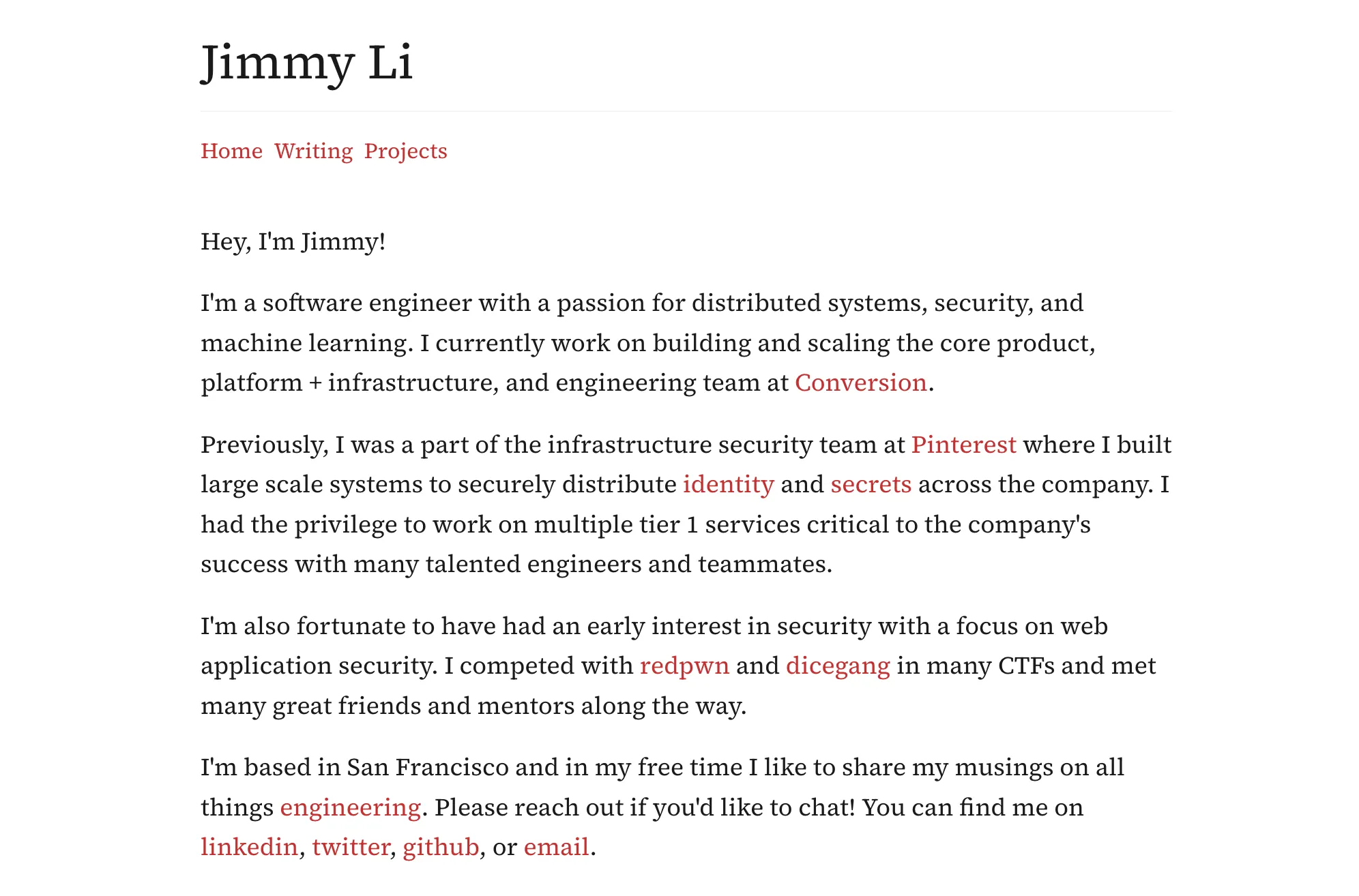
From the initial boilerplate, I was able to hand a screenshot of the ezhil theme and Gemini 3 Flash was able to generate a good looking main about page in just a few seconds. The actual styling isn’t super complex and was easy to tune exactly to what I wanted. As a quick recap, in just 10 minutes I was able to get the new site up and running with a decent looking landing page. That’s already remarkable!
Transferring the blogs
After the initial layout was done, setting up the blogs page was the next challenge. At a high level, I needed to move the content itself, rename the files with more readable slugs, update the properties, and set up the main blog overview page.
For the first step of getting the content over, Claude Code is a terrifyingly good tool. By basically doing one example then saying “move all the blogs from [initial directory] to [new directory]” Claude will effectively read the content, transfer it, and automatically update the relevant tags. As a slight token optimization, I specifically asked it to “move using the cp command first” and that was a nice token reduction!
With all the blogs moved over, the last step was to ask Gemini to create the blog rendering page. Astro makes this so easy that rendering everything is just the following:
---
const posts = Object.values(import.meta.glob<Post>("./*.md", { eager: true }));
const sortedPosts = posts.sort(
  (a, b) =>
    new Date(b.frontmatter.date).valueOf() -
    new Date(a.frontmatter.date).valueOf(),
);
---

<BaseLayout pageTitle="Writing">
  <Header />

  <main class="mt-10">
    <div class="space-y-12">
      {
        sortedPosts.map((post) => (
          <article class="mb-4">
            <div class="mb-1 text-sm text-gray-400">
              {post.frontmatter.date}
            </div>
            <h3 class="text-lg leading-normal">
              <a href={post.url} class="font-normal underline">
                {post.frontmatter.title}
              </a>
              <span class="text-gray-700">
                {" "}
                — {post.frontmatter.description}
              </span>
            </h3>
          </article>
        ))
      }
    </div>
  </main>
</BaseLayout>
That’s crazy! We don’t need any advanced machinery or plugins. With just a simple glob and JSX style map we are pretty much done. SSG specifically how Astro has designed their language is marvelous to me because it just fits this use case so well.
Redirecting the previous blogs
Now that the new site is all set up and deployed to Cloudflare workers with just a single command, the last step was to redirect all the previous blogs to the new website.
It turns out, this is a very common use case for jekyll and a really nice plugin jekyll-redirect-from would automatically set up the meta refresh and canonical tags with just a redirect_to directive in the markdown files. The canonical and meta refresh tags are crucial for preserving SEO and also the user experience to keep old links alive!
With one quick Claude command “based on the new files you’ve created, add the redirect_to directive to all the previous blogs using the base domain https://jimmyli.us/writing” I waited a minute or two and Claude finished. That saved me probably 10 minutes of time manually translating links and just made approaching this otherwise laborious work more doable.
A full sample of a previous blog post is here and the only change I needed to make was adding the following:
---
...
redirect_to: https://jimmyli.us/writing/dicectf-2022-in-review
---
Takeaways
I’m honestly surprised by how much I was able to do in just a few hours. Without AI assistance, this project would’ve taken me at least a few days despite having familiarity with the frameworks involved. The most important part is that AI was able to do a lot of the tedious work (initial styling, blog post transferring). This drastically increased my motivation to finally do this rewrite as doing the tedious work is never fun. What is fun is writing blog posts like this and tweaking the styling to my liking!
Another piece of the puzzle is using the right tool for the job. In this case, Cursor, Gemini, and Claude each played an important part. For code I need to review, I still prefer Cursor to Claude Code. In terms of the model, Gemini is still the best for anything design and multimodal. And finally, for things that require more “raw” terminal access and broader long-term context, Claude Code is still the best. I’m glad I was able to try out so many different tools and recalibrate my AI expectations.
Beyond AI, Astro played a big part in what made this so easy as well. It’s abundantly clear that for any use case that is 80-100% static rendering, the abstractions Astro has built are unmatched. The code is easy to understand and modify which I attribute to elegant design of being as similar to HTML / javascript as possible.
This project was a lot of fun and getting to sit down at a Starbucks and see this redesign come to life was a lot of fun. AI has gotten so good at a lot of the tedious work that I strongly recommend any reader to give that project you’ve pushed aside because of how tedious it seems to give it a try. You might find that it’s not so bad and learn a new tool or two on the way!
The repository with all the code is publicly available on my Github here!